Category Archives: Analysis & Geoprocessing

New in Geostatistical Analyst 10.1 : Empirical Bayesian Kriging

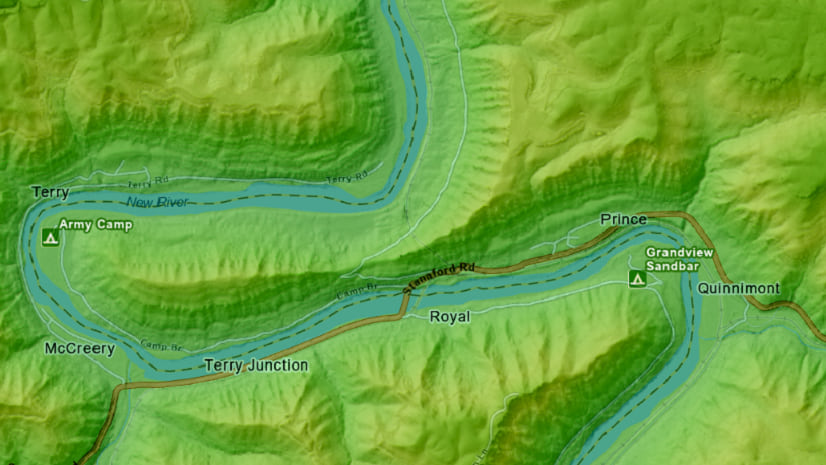
Those of you familiar with kriging interpolation know that it is not always the easiest technique to implement successfully.  For a long time we’ve wanted to make a geoprocessing tool that can automate kriging, but the problem has always been in the complexity of calculating good default parameters.  At 10.1, through a combination of subsetting and simulations, we have a solution to the problem with a method called empirical Bayesian kriging (EBK).  The method is available in the Geostatistical Wizard and as a geoprocessing tool in the Geostatistical Analyst toolbox.

Continue reading

Posted in Analysis & Geoprocessing | Tagged , , | Leave a comment

It’s coming – 6/12/12!

New Resource Center Home page

This Resource Center is getting a facelift and a fresh new look. We’re updating the color and styling of the website, adding tutorials for you to try ArcGIS, improving the gallery and video experiences, and much more.

We’ve been testing the website improvements as part of ArcGIS 10.1 Beta and Prerelease and now, in conjunction with its release, we’re ready to share the website improvements with everyone.

Click here to preview what’s coming. Then, on the evening of 6/12/12, the improvements will be applied to this website: http://resources.arcgis.com. All your bookmarks and page share will continue to work; some pages will just look a little different, and there will be lots of great new content.

Continue reading

Posted in 3D GIS, Analysis & Geoprocessing, ArcGIS Online, Community Maps, Defense, Developer, Editing, Electric & Gas, Geodata, Hydro, Imagery, Local Government, Location Analytics, Mapping, Mobile, National Government, Public Safety, Python, Services, Spatial Statistics, State Government, Telecommunications, Transportation, Water Utilities, Web | Tagged , | Leave a comment

Dealing with extreme values in kriging

Introduction

One of the most common problems we have when attempting to interpolate data using kriging is the presence of outliers in the data.  An outlier is a data value that is either very large or very small compared to the rest of the data.  Outliers often result from malfunctions in the monitoring equipment or typos during data entry, such as accidentally removing a decimal.  These erroneous data points should be manually corrected or removed before attempting to interpolate.  However, not all outliers are the result of machine or human error.  Some outliers are valid values, and this blog will demonstrate how to deal with this kind of outlier. Continue reading

Posted in Analysis & Geoprocessing | Tagged , , , , | 5 Comments

Including netCDF Dimension Values in the Name of an Output Layer or Table

NetCDF (network Common Data Form) is a file format for storing multidimensional scientific data (variables) such as temperature, humidity, pressure, wind speed, and direction. Each of these variables can be displayed through a dimension (such as time, date, or depth) in ArcGIS by making a layer or table view from the netCDF file.  The layer or table view represents one “slice” of the dimension (for example a single date or depth).

Continue reading

Posted in Analysis & Geoprocessing, Geodata | Tagged , , , | Leave a comment

ArcGIS 10.0 Service Pack 4 (SP4) for English

By Aileen Buckley, Mapping Center Lead

ArcGIS Online web site

ArcGIS 10.0 Service Pack 4 (SP4) for English, is now available to our users for download via the ArcGIS Resource Center. This Service Pack contains performance improvements and maintenance fixes. Here are links to the downloads:

ArcGIS 10 SP4

ArcIMS 10 SP4

ArcSDE 10 SP4

Release Note: ArcGIS 10.0 Service Pack 4 for the other five languages (French, German, Japanese, Simplified Chinese and Spanish) will be released in the next two weeks. A follow up blog entry will be posted to announce the availability once they are ready.

Posted in 3D GIS, Analysis & Geoprocessing, Community Maps, Defense, Developer, Editing, Electric & Gas, Geodata, Hydro, Imagery, Local Government, Mapping, Mobile, National Government, Public Safety, Python, Services, Spatial Statistics, Telecommunications, Water Utilities, Web | Tagged , , , | 19 Comments

Welcome to the new unified ArcGIS Blog

For the past few years the various ArcGIS product development teams have hosted a few dozen separate blogs covering the width of the ArcGIS system. Now we have pulled those together into a single ArcGIS Blog so that you can more easily browse, subscribe to, learn from, and stay up-to-speed on the latest information from all our engineers and developers. In addition, the single blog reflects ArcGIS as a system and allows us to better tell big picture implementation stories that we couldn’t in the fragmented system.

If you do want to narrow your focus, just click a Category (under Technical Communities and Industry Communities) or Tag to see the posts for that particular area. You should find a category or tag that matches up with the subject area for each of the old separate blogs. A few may have been overlooked or thought to be unnecessary. We appreciate your feedback on specific categories or tags that should be added to help focus in on subject matter that is of interest to you. Continue reading

Posted in 3D GIS, Analysis & Geoprocessing, ArcGIS Online, Defense, Developer, Editing, Hydro, Imagery, Local Government, Mapping, Mobile, National Government, Public Safety, Python, Services, Spatial Statistics, Telecommunications, Water Utilities, Web | Tagged , , | 5 Comments

The New ArcGIS Discussion Forums MVP Program

Have a question?  Want to talk GIS? Looking for some good ideas?  Jump into the conversation!

A few weeks back we rolled out some new features that we hope will improve the forums’ usefulness.  One of the new features is the ability for those who post questions in the forums to rate the replies.  In addition, any logged in user can also join in and vote on the various replies and conversations in order to help us identify the best information, helping you find good information more quickly.  Another huge benefit to the new voting tools is that it helps us all identify, recognize, and reward those forums users who contribute the most helpful information.

Until June 2010, our old discussion forums (now archived) supported what we called the “Forums MVP Program”.  Once every 6 months we would identify the Top 10 members of the community and make them eligible for MVP recognition and some valuable prizes. Continue reading

Posted in 3D GIS, Analysis & Geoprocessing, Developer, Editing, Geodata, Imagery, Mobile, Python, Services, Spatial Statistics, Web | Leave a comment

A Model to Filter Images for Build Pyramids and Statistics Tool

In ArcGIS 10.0, we introduced a new raster geoprocessing tool Build Pyramids and Statistics. You can use this tool to build pyramids and calculate statistics for all the raster datasets in a workspace, and even in a raster catalog or a mosaic dataset.

This tool provides a convenient solution to build multiple raster datasets in single step. However it works on all raster datasets in the workspace. Although the tool does not contain a filter option to allow you select a smaller collection of raster among all, we can design a simple model to do this.

This is what the model could look like:
gp_imagery_filter

Continue reading

Posted in Analysis & Geoprocessing, Imagery | Tagged , , , , , , , | 2 Comments

The Geometry on Geometry check – Part 1

In my opinion, the Geometry on Geometry (Geo on Geo, for short) check  is one of the most versatile (and one of my favorites) among Data Reviewer’s 40+ automated checks. In this first of a three part blog series, I’d like to explain the check’s parameters and provide some examples to get you thinking of ways to use it in your own environment.

Geo on Geo parameters

To get started, here’s a quick breakdown of the parameters available in the Geo on Geo Check Properties dialog.

A simple example

In many cases you might not use all the above parameters. Let’s explore a simple business rule: buildings should not overlap. I am using a sample dataset where the buildings are quite dense and many of them share edges, and we want to ensure they do not overlap.

Continue reading

Posted in Analysis & Geoprocessing, Editing | Tagged , , , , , , , , | 1 Comment

New Features for the ArcGIS Discussion Forums

Have a question?  Want to talk GIS? Looking for some good ideas?  Jump into the conversation!

A few weeks back we rolled out some features that we hope will improve the forums’ usefulness.  To be candid, we’re sure many would say that some of these features should have been there since day one, or at least long overdue, but we listened to what you wanted and found a way to get them in there for you to use.

Let’s start with the big one…

Community Voting
If you read something and you like it, give it a thumbs up!

Now any forum user can let the community know where the good information is. How you do it is simple. If you read a post or a reply and you think it contains some really good information, click the “up” arrow on the right. This is similar to the “Like” button in Facebook.

If we all do this, then the best posts will bubble to the top. If you want to read the entire thread you can, but if you need to most quickly find the good stuff, look at the posts that have a high score.

There is also a “down” arrow, but you can only use that to “Unlike” something you previously Liked.

If you find “The Answer”, give it a check!

If you started a thread with a question, then whichever reply you think is the best, give it a check. That will mark your thread as “answered” for all to see, and it will give some MVP points to the person who wrote it.

Two birds with one stone
Clicking the checks and arrows has two benefits:
1.    You are helping everyone find the best information.
2.    You are helping everyone recognize the best contributors.

One of the great things about any community is the trust earned by those folks who share their experience and help others. Some pros out there are always going to stick out, but these new voting tools are going to help find others who are just as helpful and useful who you might not yet know.

Discussions versus Q&A

When you start a new thread, you can let everyone know if you’re starting a discussion or if you’re asking a specific question. Discussions show up in the thread list with a yellow “D” icon and questions with a red “Q”.

When the original poster or a moderator identifies one of the replies as the best answer, the “Q” icon turns into a green “A”.

This helps you find answers more quickly, and if you want to jump in and let everyone know what you think, this helps you more quickly find questions that haven’t been answered yet.

Private Messages
Most of the time an open public discussion is a great way to get the best information, but sometimes you may want to take it off-line.

Up on the menu is a “Private Messages” link. Click that to see your Inbox or to send direct messages to other users. Also, clicking their name anywhere in the forums provides a pop-up you can use to send a message to them if they’ve activated it.

You can use the “Forum Actions > User Control Panel” menu to control who can send you messages.  You can turn it completely on, completely off, or limited to just those users in your Contacts list.

New Badges
Badges are a great way to find those folks who have been around the block a time or two. Anyone with more than 200 posts in the forums becomes a “Senior Member”, and of course anyone on the forums who works for Esri is badged as “esri” with a globe logo.

And when you see someone with a “Forums MVP” badge, you know you’re talking with someone the community has said has the best information and is most dedicated to your success. These are folks who have been voted by the community to be in the Top 10 of all contributors during any previous six-month MVP rating period. And once you’re an MVP, you’re always an MVP.

And more importantly, now that the new community voting tools have been included, it’s time to roll out the new MVP program. Watch this blog post next week for a description of the new rules, new standards, and a list of awards you can earn through all of your good effort. So jump in and help us figure out who the players are; maybe it’s you!

What’s Next?
The Advanced Search page gives you a lot of flexibility to build a complex search.  What we’re working on next is giving you the ability to save that search definition. This will be good for bookmarking and sharing. We’ve also heard that most users participate in some forums a lot, some forums a little and others not at all. We are going to improve your “What’s New” page so that it only includes those forums you want to browse. If there are any other improvements you’d like to see, reply here, or jump into the conversation on the Resource Center Site Feedback forum.

Content for this post provided by Jim Barry

Posted in 3D GIS, Analysis & Geoprocessing, ArcGIS Online, Developer, Editing, Geodata, Imagery, Mobile, Python, Services, Spatial Statistics, Web | Tagged , | 1 Comment